Start from a different premise
If your plan is only to keep attackers out, you have no plan for the day one gets in.
Patching, authentication, perimeters — all necessary, all eventually bypassed. Designing as though one will fail is simply realistic.
Stolen data is only lost once it is sent. Most intrusions also need to reach back out for instructions before they can go further.
Firewalls and WAFs mostly face inward. What goes the other way tends to pass quietly.
A destination alone no longer tells you anything
Attackers relay through legitimate cloud services. The destination looks like a trusted domain, because it is one.
A machine makes a small connection to a major CDN every five minutes. What is it?
You cannot answer from the destination. It could be a software updater checking in. It could be malware collecting instructions. Both can use the same address.
What separates them is which application opened the connection. That is what EgressView records.
| What you see | Destination only | With the application |
|---|---|---|
cdn.example.net — 5 min |
Cannot tell | SoftwareUpdate — expected |
cdn.example.net — 5 min |
Cannot tell | An unfamiliar process — worth looking at |
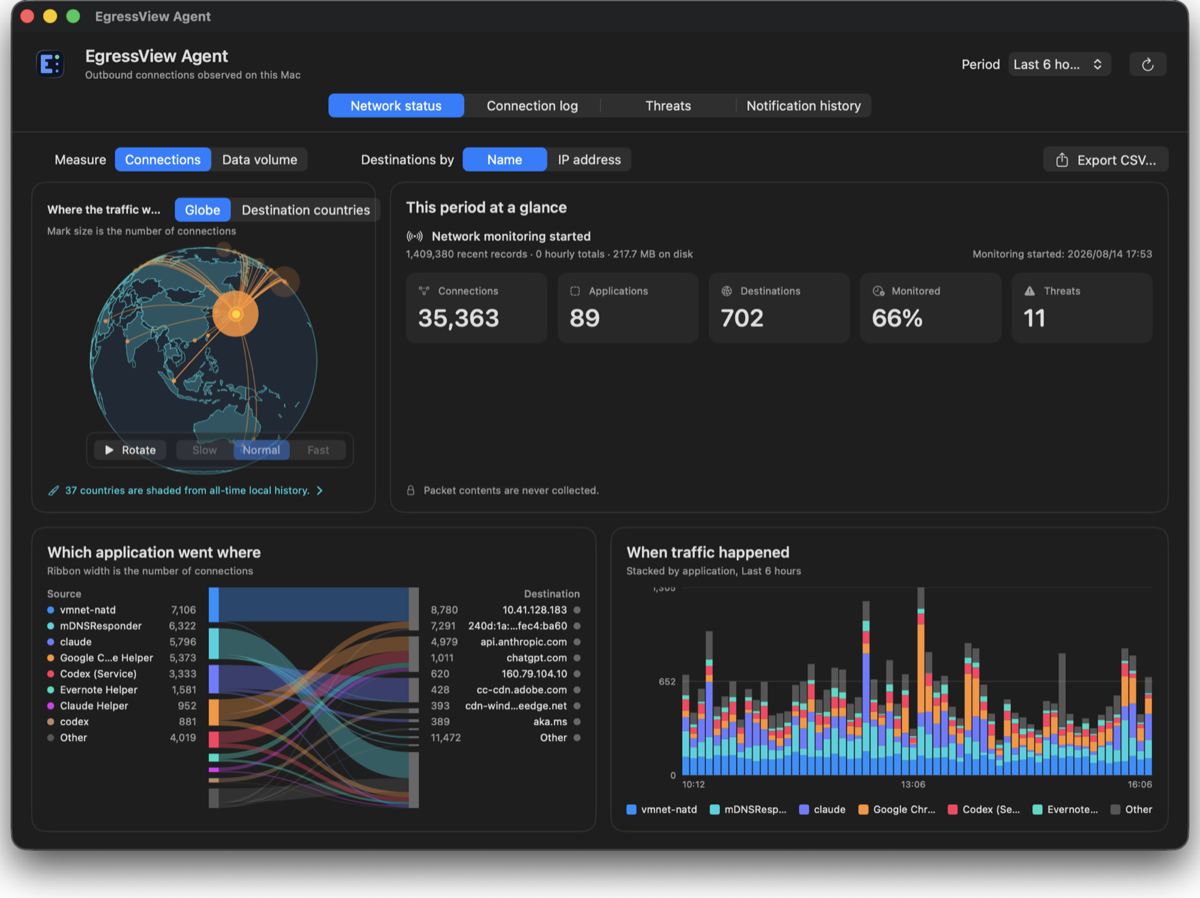
Three ways to start
Hub, Mac Agent, or Windows Agent. An Agent needs neither a router nor a Hub; sending its observations to a Hub is opt-in.
EgressView Agent for Mac
Records that Mac's outbound connections, each with the name of the application that made it.
- Which app reached which country, domain and address
- Threat lists are matched on the Mac itself
- Gaps in the record are shown as gaps
EgressView Agent for Windows
Records outbound connections by application on this PC, with a local view and optional Hub delivery.
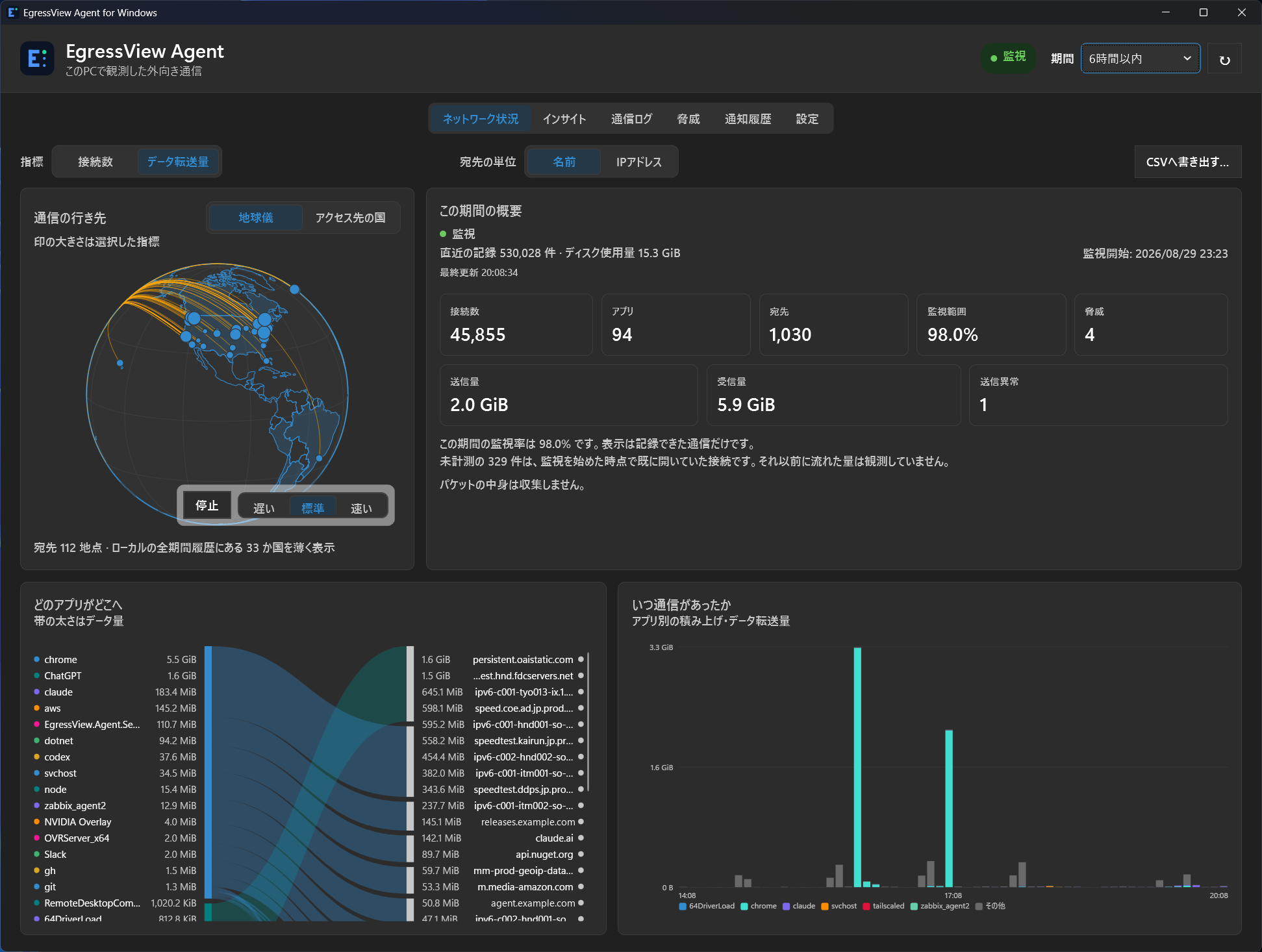
- A Windows service observes connections
- Apps, destinations and byte counts stay on the PC
- Hub delivery is explicitly enabled
EgressView Hub
Combines supported-router observations and those Agents choose to send into one history.
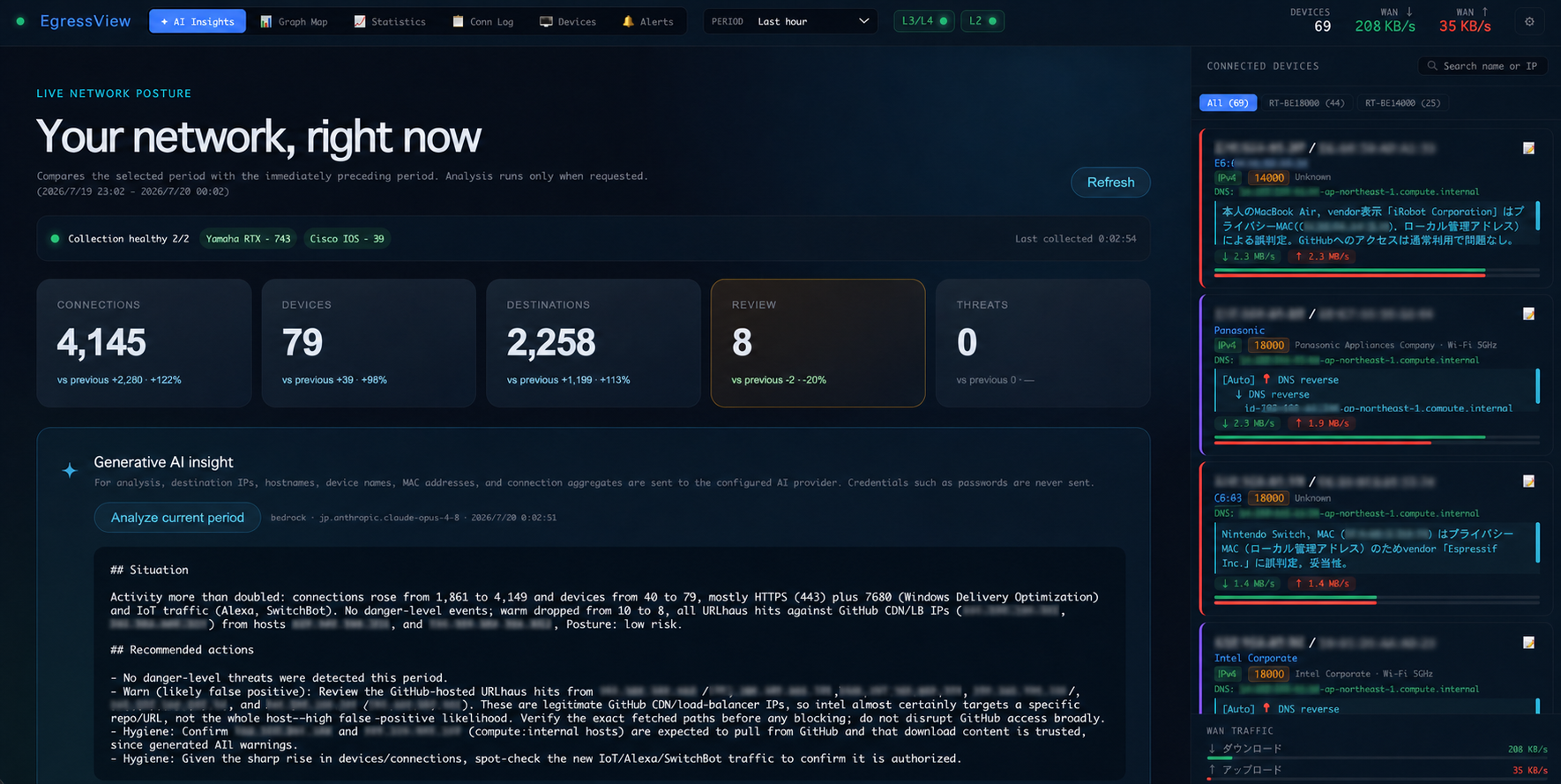
- Sees devices that cannot run an agent — IoT, TVs, printers
- Deduplicates observations from multiple routers
- Runs on your server; external AI is optional
Compare the three products and their setup requirements →
What it never does
Installing a monitoring tool means trusting it. So here is what it does not do.
Is this for you?
A good fit
- You want to know what your Mac or Windows PC talks to
- You want the record to stay on your own hardware
- You look after a home or small-office network
- You have a Yamaha RTX or Cisco IOS router — for the Hub
Not a fit
- You want something that blocks or defends
- You need an Agent for Linux — currently Mac and Windows only
- Your router is not one of the two supported — for the Hub
- You want a hosted service someone else operates
Questions people arrive with
How do I find out which app on my Mac is connecting where?
Install the EgressView Agent and every outbound connection is recorded per
process. Unlike lsof or nettop, which show you the
moment you are looking, the record goes back in time: which
application, when, and to which destination.
Can I check an application's destinations after the fact?
Yes. Fourteen days of raw records by default, and everything older folded into hourly totals rather than discarded — so "where was this app going last Tuesday" is a question with an answer.
Can I use the Windows Agent without a Hub?
Yes. It records this PC's connections locally. Hub delivery does not start until you explicitly enable it. The Windows MSI is currently unsigned, so verify its checksum on the download page before installing.
Does it read what I send?
No. It records metadata — destination, port, process name, timestamps, byte counts. Payloads are neither decrypted nor stored.
I want to know if something is talking to a destination I do not recognise
Observed destinations are matched against public threat-intelligence lists and flagged. An Agent can match against locally downloaded lists. Optional external lookups that send a destination IP are disclosed in Settings.
How is this different from a firewall?
A firewall decides what to allow. EgressView blocks nothing. It records what left, so that afterwards you can say what happened — which is the question that matters on the day prevention fails.
Is it free, and can I read the source?
Both yes. The source is on GitHub. The Mac Agent is Developer ID signed and notarised; the Windows MSI is currently unsigned, so verify its checksum.
Getting started
Choose the setup that fits. An Agent needs neither a Hub nor a router.
- Mac: Install the signed, notarised .pkg and approve network monitoring in macOS.
- Windows: Verify the MSI checksum, then install with administrator approval. The current MSI is unsigned.
- Hub: Start with Node.js 22+. If using a router, add it through SSH.
Mac: Apple silicon and macOS 13+ · Windows: Windows 10+